| Model | NF-A8 FLX |
|---|---|
| Size | 80 mm |
| Thickness | 25 mm |
| Speed range | –2000 RPM |
| Max airflow | 29.66 CFM |
| Max pressure | 1.96 mmH₂O |
| Max noise | 16.1 dBA |
| Bearing | SSO2 |
| Connector | 3-pin FLX |
| Lighting | None |
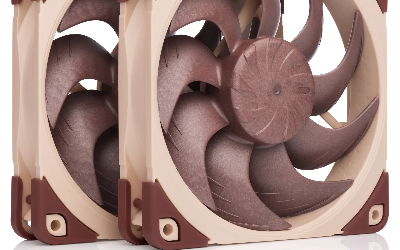
| Colour | Brown |
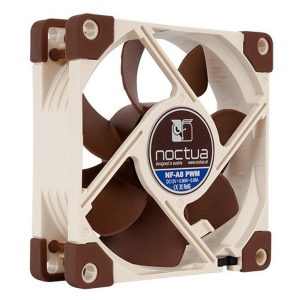
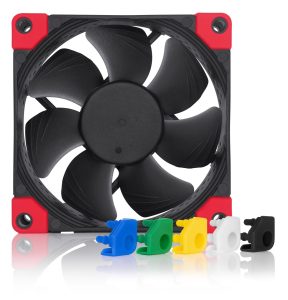
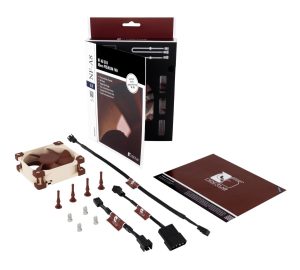
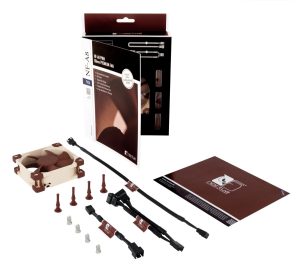
NF-A8 FLX: Three-pin FLX version with Low-Noise Adaptors for selectable fixed speed settings
More Noctua fans · All 80mm models · Browse the full fan database
About the NF-A8 FLX
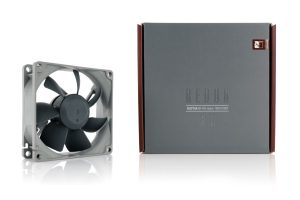
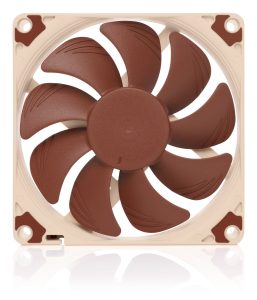
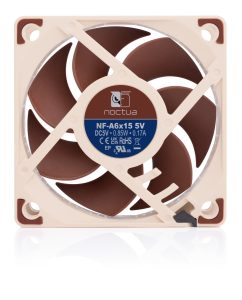
The NF-A8 FLX is an 80mm fan with a 25mm thickness, so it fits standard 80mm mounting positions. At 2000 RPM it moves 29.66 CFM with 1.96 mmH2O of static pressure. That balance suits both open case ventilation and mildly restrictive spots such as heatsinks or filters, though the airflow figure is modest because of the small diameter. Noise is rated at 16.1 dB(A), which is low for a fan spinning this fast, so buyers prioritizing quiet operation have a reasonable expectation.
The SSO2 bearing is the durability feature to note, and the 3-pin FLX connector means speed control depends on your motherboard or a voltage controller rather than PWM. There is no lighting and the colour is brown. The data does not list a price or release year, so check the retailer for current pricing. Confirm your case or cooler accepts 80mm fans at 25mm thickness before ordering.
Frequently asked questions
Is the Noctua NF-A8 FLX quiet?
Noctua rates the NF-A8 FLX at 16.1 dB(A) at its 2000 RPM maximum. That is a low noise figure for an 80mm fan at this speed, though actual perceived noise depends on mounting, obstructions and how you control the speed.
What is the NF-A8 FLX best used for?
With 29.66 CFM airflow and 1.96 mmH2O static pressure, it suits 80mm case ventilation and moderately restrictive cooling spots. The static pressure figure means it can push through some resistance, but the data does not list specific cooler or radiator compatibility.
Does the NF-A8 FLX have RGB lighting or PWM?
No. The data lists lighting as none and the connector as 3-pin FLX, so there is no RGB and no PWM control. Speed adjustment depends on your motherboard's voltage control or a separate fan controller, and the fan is brown.