| Model | AORUS 140 ARGB GP-AR140RFAN |
|---|---|
| Size | 140 mm |
| Thickness | 25 mm |
| Speed range | 800–1700 RPM |
| Max airflow | 60.64 CFM |
| Max pressure | 2.18 mmH₂O |
| Max noise | 35.8 dBA |
| Bearing | Sleeve Bearing |
| Connector | 4-pin PWM + 3-pin ARGB |
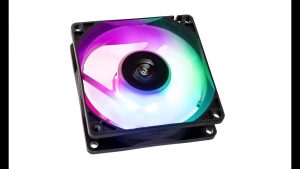
| Lighting | ARGB |
| Colour | Black |
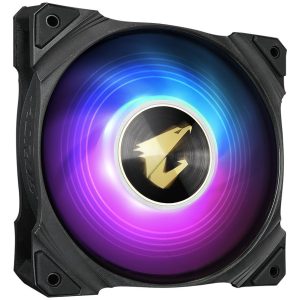
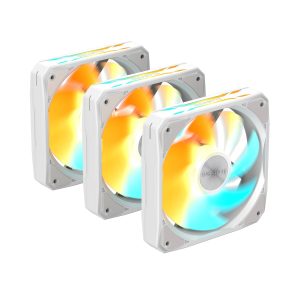
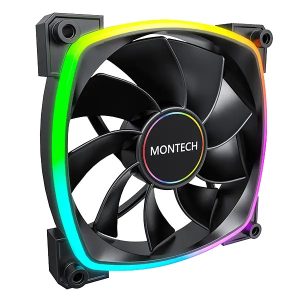
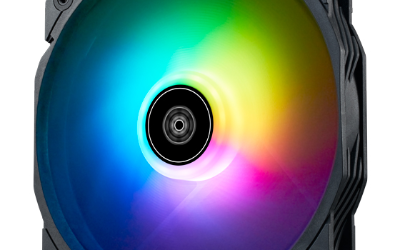
AORUS 140 ARGB GP-AR140RFAN is a 140 mm 25 mm black fan rated 800-1700 RPM 60.64 CFM and 2.18 mmH2O 35.8 dBA
More GIGABYTE fans · All 140mm models · Browse the full fan database
About the Gigabyte AORUS AORUS 140 ARGB Fan Fan
The Gigabyte AORUS AORUS 140 ARGB Fan is a 140mm, 25mm-thick PWM fan running from 800 to 1700 RPM. Its 60.64 CFM airflow and 2.18 mmH2O static pressure make it a reasonable all-rounder: the airflow figure suits open case ventilation and rear or top exhaust, while the static pressure is modest enough that dense radiators and thick dust filters are not its strongest use case. Buyers should treat it as a case fan first.
Noise is rated at 35.8 dB(A) at maximum speed, so expect audible operation near 1700 RPM and quieter running toward the 800 RPM floor. The sleeve bearing is a simpler, lower-cost bearing type. A 4-pin PWM header plus a separate 3-pin ARGB header are both required, so confirm your motherboard has an ARGB connector. The data does not list a price or release year, and colour is black.
Frequently asked questions
Is the Gigabyte AORUS 140 ARGB Fan quiet?
Gigabyte rates it at 35.8 dB(A) at its 1700 RPM maximum, so it will be audible at full speed. It can run as low as 800 RPM via 4-pin PWM, which should reduce noise, though the data does not list a minimum-speed noise figure.
What is the AORUS 140 ARGB Fan best used for?
With 60.64 CFM airflow and 2.18 mmH2O static pressure, it suits case ventilation such as rear or top exhaust. Its static pressure is modest, so very dense radiators or restrictive filters are not its strongest application according to the listed figures.
What connectors and size does the AORUS 140 ARGB Fan need?
It is a 140mm fan with 25mm thickness, so check your case or cooler clearance for 140mm mounting. It needs a 4-pin PWM header for fan control plus a separate 3-pin ARGB header for the ARGB lighting, so your motherboard must offer both.